
So this post is kind of a follow on from my earlier post where I flashed my Magic Home Led controller with Tasmota firmware for use in Home Assistant. I wanted to create a few more LED strips and this time I chose a H801 controller from Banggood. Both the Magic Home and H801 controllers are similar ESP8266 based devices with a few key differences. Both have their pros and cons that I will try and demystify below while proving a review into their usability with Home Assistant. Continue reading “H801 vs Arilux/MagicHome LED Controller Review”
 If you have ever done any website development you are bound to come across WordPress. What started out as a blogging platform now powers the over 35% of the websites you may visit. While its advantages over creating sites with static html files include the vast amount of templates and plugins available there is one minor drawback when it comes to developing with it. That drawback is that if you want to make huge changes to a template or a transfer a site from static files to WordPress there maybe a downtime of your site if you are doing it all live. In the old days you could develop your new static html files locally and ftp them when you were happy to go live with your new site. Fortunately there is a way to develop with WordPress offline and that is to set up a local WAMP server on your PC.
 If you have ever played with home automation at all you most likely would have come across the software Home Assistant, Think of it as a hub like Smartthings or Vera that you build yourself. The most common way to do this is with a Raspberry Pi and a SD card loaded with the Home Assistant image (previously known as the Hass.io image) and soon you will be set to start connecting to the smart devices around your home and automating them.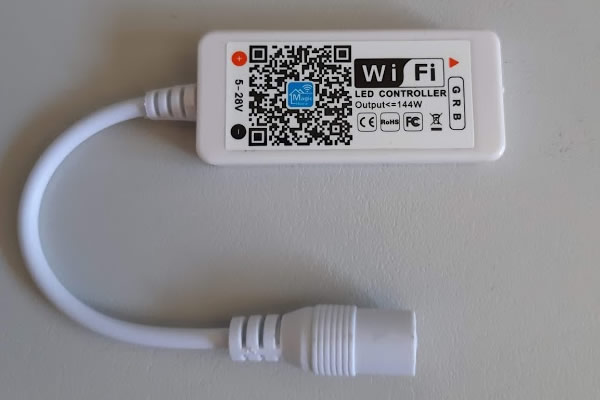
 If you have ever played with DIY home automation before, chances are you may have come across MQTT. MQTT is a protocol that many home automation systems use to communicate with is, as it is fast and lightweight.